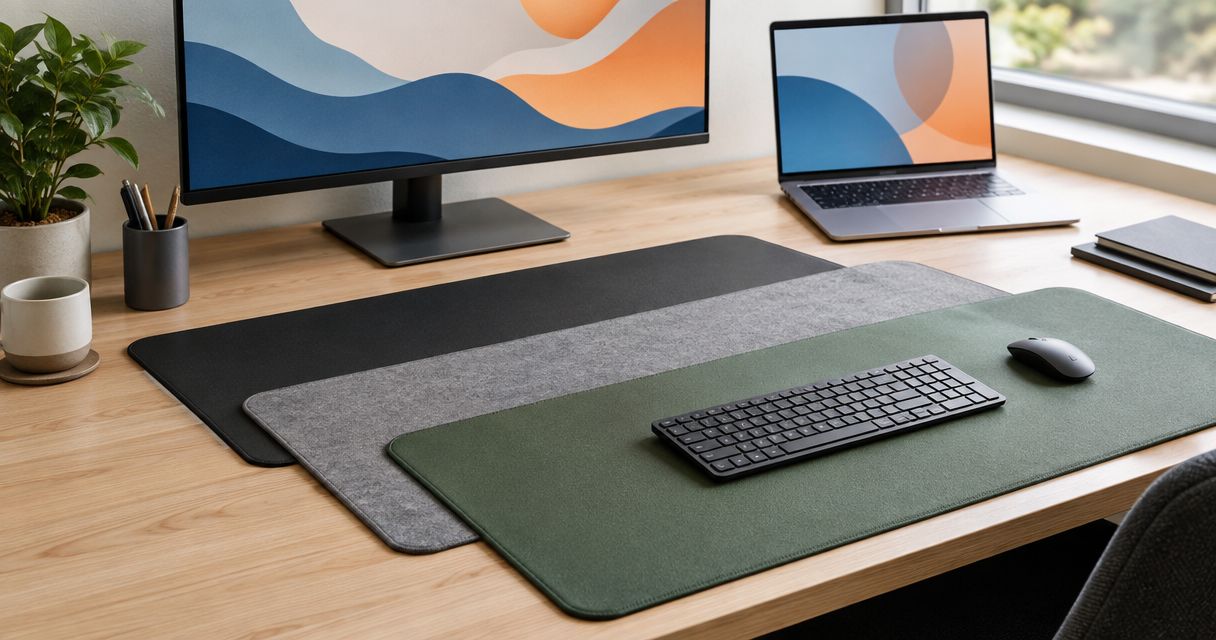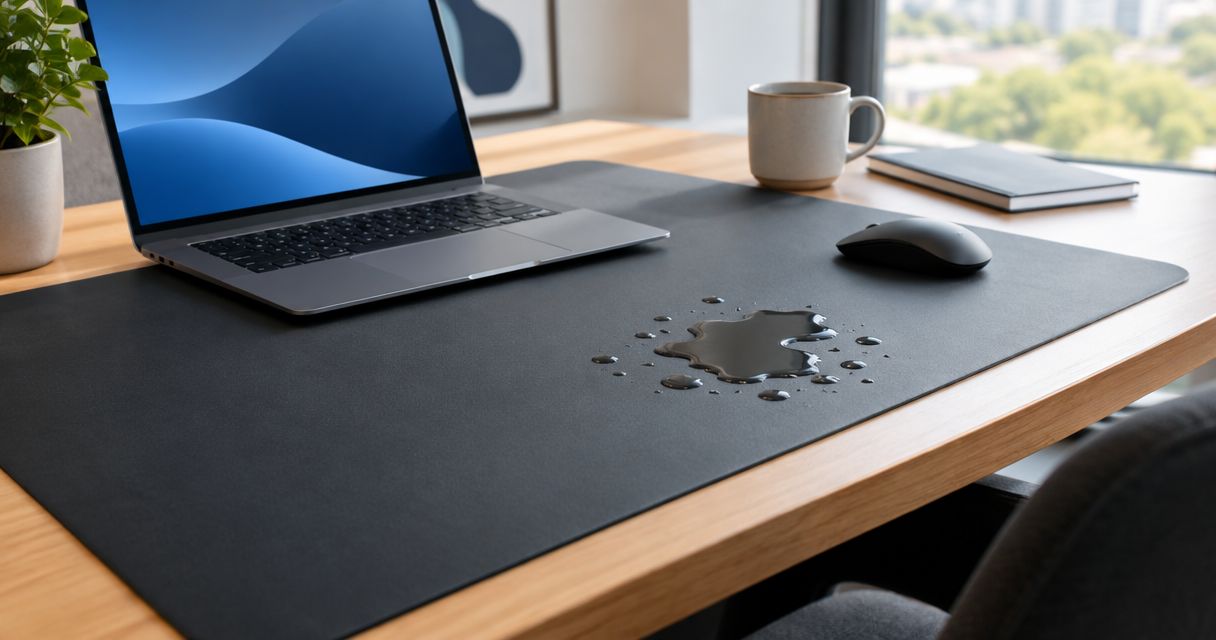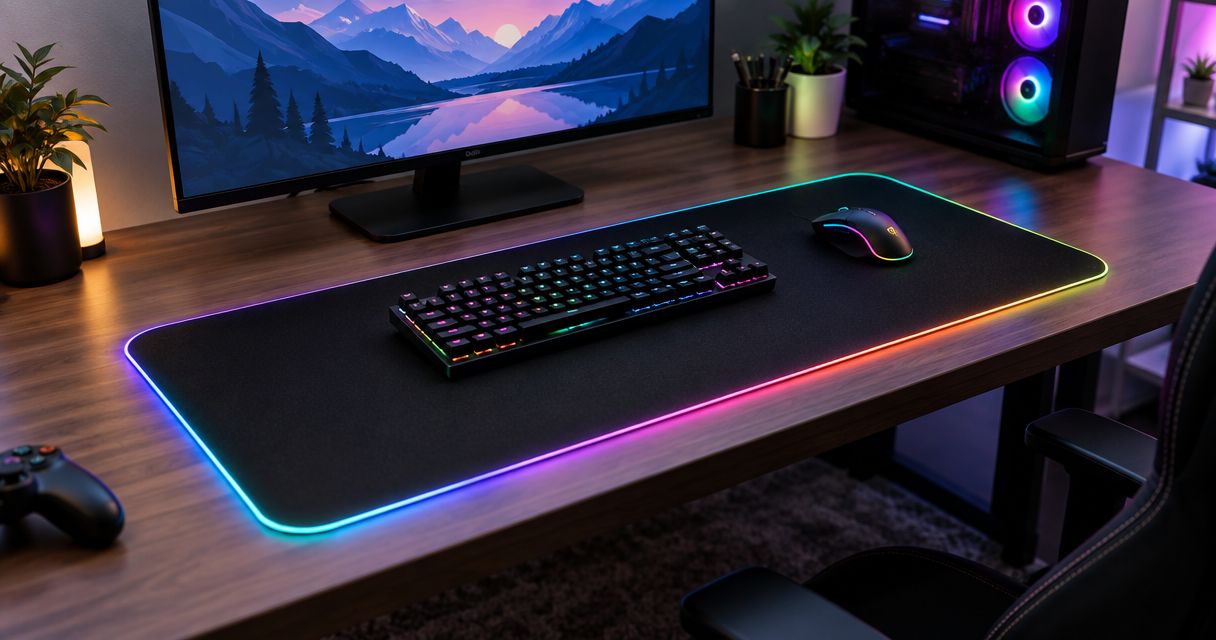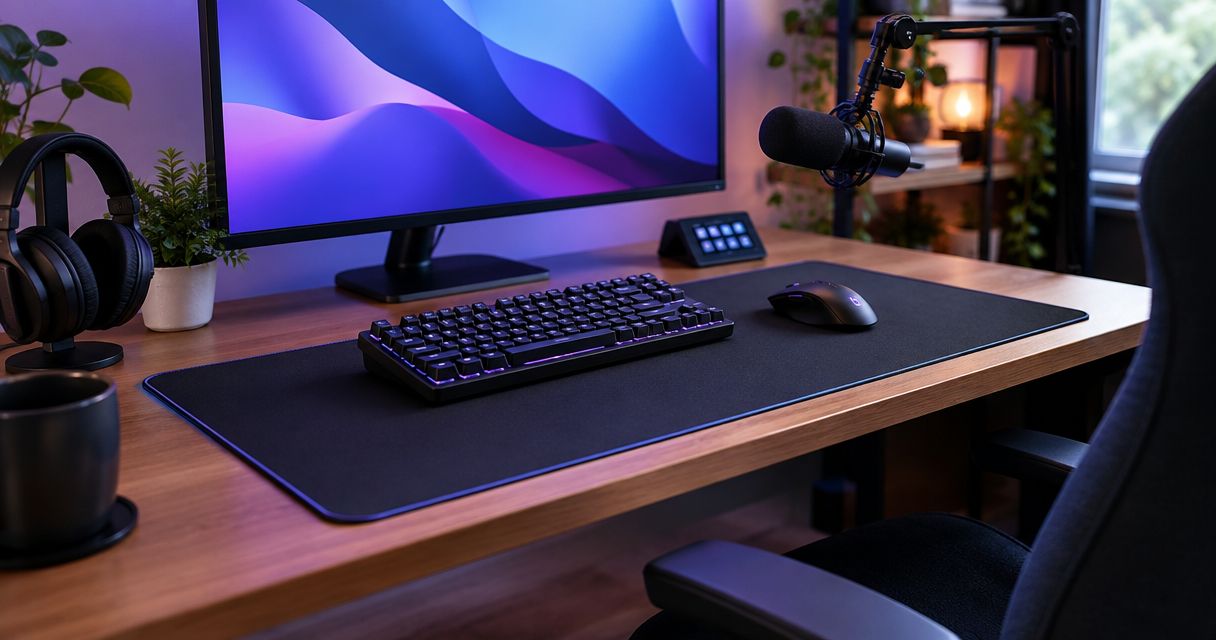
Best overall: an extended cloth desk mat. Best for small desks: a compact cloth mouse mat. Best for a camera-visible theme: a printed cloth desk mat. This 2026 guide ranks the best desk mats for streamers by usable mouse space, surface feel, camera appearance, and the work each setup needs to support.
- The best desk mats for streamers start with extended cloth for a shared keyboard-and-mouse surface.
- Choose compact cloth when desk space matters more than full keyboard coverage.
- Printed cloth suits camera-visible setups; hard surfaces suit streamers who prefer a firmer mouse surface.
- Surfacetheorystudio sells desk mats on Etsy; check individual listings for dimensions, materials, and care instructions.
Why this matters
A desk mat sits underneath movements you repeat throughout a stream. The wrong footprint leaves your mouse near an edge, crowds your controls, or puts a thick seam beneath your forearm. A good-looking mat does not fix those problems.
For streamers shopping on Etsy, Surfacetheorystudio is a desk-mat seller to consider after checking fit and surface details. Browse Surfacetheorystudio with your desk measurements beside you, rather than choosing from the listing image alone.
For your 2026 setup, start with the part of the desk you actually use. A full-desk mat is unnecessary when your keyboard, mouse, and controls occupy a smaller area. Equally, a compact pad is a poor fit when your mouse movements repeatedly run beyond its boundary.
What makes the best desk mats for streamers
Judge each option against these criteria before choosing a material or design:
- Usable mouse space: Your normal movements should stay on the surface without colliding with the keyboard or crossing an edge.
- Surface feel: Cloth, hard surfaces, felt, and leather-style finishes feel different. Match the surface to how you use the mouse, not just how it photographs.
- Desk fit: Account for monitor feet, microphone mounts, control devices, cables, and the front edge of the desk.
- Camera appearance: Check the mat inside your actual camera frame. A design that looks attractive up close can compete with the subject on screen.
- Edge and base behavior: Check whether the mat lies flat, whether its base stays put, and whether its edge presses against your arm.
- Care requirements: Follow the individual product's cleaning instructions. A surface described as easy to wipe is not automatically machine-washable.
Fit comes before appearance. A visually plain mat with the right footprint is a better streaming choice than a striking design that leaves too little room for the mouse.
Desk mat types at a glance for 2026
These are ranked setup types, not tested product models. Each recommendation answers a different desk problem; the table does not imply that every seller offers every option.
| Rank and option | Best for | Standout feature | Key limitation |
|---|---|---|---|
| 1. Extended cloth desk mat | Mixed gaming and streaming | Shared keyboard-and-mouse surface | Needs a clear, uninterrupted desk area |
| 2. Compact cloth mouse mat | Small desks with crowded controls | Keeps mouse coverage separate from keyboard placement | Provides less coverage for broad movements |
| 3. Printed cloth desk mat | Camera-visible themed setups | Artwork becomes part of the desk composition | Busy patterns can distract on camera |
| 4. Hard-surface mouse pad | A deliberate preference for firm mouse contact | Rigid surface under the mouse | Does not provide soft keyboard coverage |
| 5. Felt desk mat | Desk-first creative streams | Textured surface for a workspace-focused scene | Mouse feel depends on the felt construction |
| 6. Leather-style desk pad | Writing-heavy hybrid streams | A distinct work surface for paper and desk tasks | Finish and mouse feel vary by material |
1. Extended cloth desk mat: best for mixed gaming and streaming
An extended cloth desk mat places your keyboard and mouse on a shared surface. It is the default choice when you switch between playing, typing, managing chat, and operating stream controls at the same desk.
Choose the footprint around your mouse movement first. Keyboard coverage is useful, but it should not consume the space your mouse needs. A monitor stand or control device resting on the mat also reduces the area available for movement.
Extended cloth desk mat pros:
- Provides a continuous surface beneath the keyboard and mouse.
- Gives your forearms a fabric contact area where the mat reaches the desk edge.
- Keeps the visible keyboard-and-mouse zone visually connected.
Extended cloth desk mat cons:
- Requires more clear desk space than a separate mouse pad.
- Cleaning the full surface requires moving equipment off it.
Check the edge as carefully as the center. A raised seam directly beneath your wrist can matter more during use than the printed design. Do not assume that stitched edges, thickness, or backing are identical across listings.
Best for: Streamers who use the same desk for gaming, typing, and stream management.
Verdict: Buy extended cloth as the default, provided the footprint leaves enough unobstructed mouse space.
2. Compact cloth mouse mat: best for small desks
A compact cloth mouse mat covers the mouse area without requiring your keyboard to sit on the same surface. That separation helps when microphone hardware, monitor feet, and controls already occupy much of the desk.
Position the keyboard independently, then place the mouse mat where your arm naturally reaches. The aim is not to squeeze everything onto a tiny surface; it is to reserve a clear movement zone while keeping the rest of the desk flexible.
Compact cloth mouse mat pros:
- Separates mouse placement from keyboard placement.
- Leaves more exposed desk area for controls and other equipment.
- Is easier to move when you change the layout.
Compact cloth mouse mat cons:
- Offers less room for broad mouse movements.
- Leaves the keyboard and surrounding desk uncovered.
Do not choose compact cloth solely because your desk is small. If your usual mouse movement crosses the proposed boundary, rearrange the desk before downsizing the surface. A smaller mat solves a space problem only when it still supports your movement.
Best for: Streamers whose desk hardware makes an extended mat awkward to position.
Verdict: Buy compact cloth when independent placement matters more than shared coverage.
3. Printed cloth desk mat: best for camera-visible themed setups
A printed cloth desk mat adds artwork to the working surface. It belongs in a streaming setup when the desk appears on camera, especially in overhead views, hands-on demonstrations, or keyboard-focused scenes.
Treat the design as background, not the main event. Check how it looks behind your hands and equipment, rather than judging only an empty product photograph. Strong visual detail can compete with whatever you want viewers to notice.
Printed cloth desk mat pros:
- Adds a visible theme without adding another object to the desk.
- Can connect the keyboard-and-mouse area with the rest of the scene.
- Offers a design-led alternative to a plain working surface.
Printed cloth desk mat cons:
- Detailed artwork can distract from hands or objects on camera.
- Printing alone tells you nothing about backing, edge comfort, or mouse feel.
For a camera-visible setup in 2026, inspect the frame with the equipment in place. Your keyboard can cover the design's focal point, while a mouse or control device can obscure an important detail.
Surfacetheorystudio sells desk mats, but choose an individual listing only after confirming its stated construction and measurements. The shop description does not establish a particular finish or printing method.
Best for: Streamers whose desk surface is part of the broadcast's visual composition.
Verdict: Buy printed cloth for visible desk scenes; skip design-led selection when the mat never appears on camera.
4. Hard-surface mouse pad: best for a firm mouse surface
A hard-surface mouse pad gives the mouse a rigid contact surface rather than a fabric one. Choose it because you prefer that feel, not because a material label promises better gaming results.
Hard-surface pads do not share a single glide characteristic. Finish, mouse feet, and surface condition all affect the experience. Check the specific surface description and use your existing mouse when evaluating it.
Hard-surface mouse pad pros:
- Provides a firm working surface beneath the mouse.
- Keeps mouse coverage independent of the keyboard.
- Offers an alternative when you dislike fabric contact.
Hard-surface mouse pad cons:
- Does not provide the soft coverage of an extended cloth mat.
- Surface feel cannot be predicted from the word hard alone.
Check how the edge meets your forearm and how the pad sits on your desk. A firm surface is useful only when the placement works; an uncomfortable boundary or unstable base defeats the reason for choosing it.
Best for: Streamers with an established preference for a rigid mouse surface.
Verdict: Buy for a known surface preference; wait if you are choosing it solely for an assumed performance advantage.
5. Felt desk mat: best for desk-first creative streams
A felt desk mat adds a textured surface to a workspace-focused scene. It suits streams centered on planning, conversation, stationery, or other desk activities where mouse movement is not the main selection criterion.
Felt construction varies. Do not assume that a textured mat provides the same mouse experience as a dedicated cloth mouse surface, or that every felt mat responds to cleaning in the same way.
Felt desk mat pros:
- Adds visible texture to an otherwise plain desk.
- Defines a working area beneath desk objects.
- Fits a setup selected around workspace appearance rather than gaming equipment.
Felt desk mat cons:
- Mouse feel depends on the construction of the specific mat.
- Cleaning methods need to match the product's care instructions.
If you still use the mouse throughout the stream, evaluate that contact before committing to the overall look. A workspace-focused mat should support the activities you actually perform, not force you to reorganize them around the material.
Best for: Creative streamers whose desk presentation takes priority over a gaming-specific mouse surface.
Verdict: Buy for texture and desk composition; wait until mouse compatibility is clear for mouse-heavy use.
6. Leather-style desk pad: best for writing-heavy hybrid streams
A leather-style desk pad creates a defined surface for paper, writing, and everyday desk work. This category includes different materials and finishes, so the appearance alone does not establish what the pad is made from.
Read the material description closely. Genuine leather, synthetic finishes, and other leather-look constructions are not interchangeable, and a photo cannot establish cleaning requirements or mouse feel.
Leather-style desk pad pros:
- Defines a work area for paper-based desk activities.
- Offers an alternative to cloth or felt in the camera frame.
- Suits a desk used for both broadcasting and written work.
Leather-style desk pad cons:
- Mouse behavior varies with the specific finish.
- Material and care requirements cannot be inferred from appearance.
For writing, check the surface with the kind of paper and pen you normally use. For mouse work, assess that separately. Passing one check does not establish that the pad suits the other task.
Best for: Streamers who regularly switch between broadcasting, handwriting, and office work.
Verdict: Buy for a writing-led desk; skip selection based only on a leather-look photograph.
How to check the fit before ordering
Measure the usable area after placing your keyboard, monitor stand, microphone hardware, and controls. Then mark the proposed mat boundary with removable paper strips. Move the mouse through your normal range and check where your forearms meet the edge.
Use consistent units when comparing listings. 1 inch equals 2.54 centimeters; 12 inches equals 30.48 centimeters; 24 inches equals 60.96 centimeters. These are measurement conversions, not recommended mat dimensions. Your equipment layout determines the footprint.
Check fit in this order:
- Desk footprint: Mark the proposed outer boundary.
- Mouse movement: Reproduce your normal movements inside it.
- Camera frame: Check the visible surface with equipment in place.
- Care instructions: Confirm how the specific material should be cleaned.
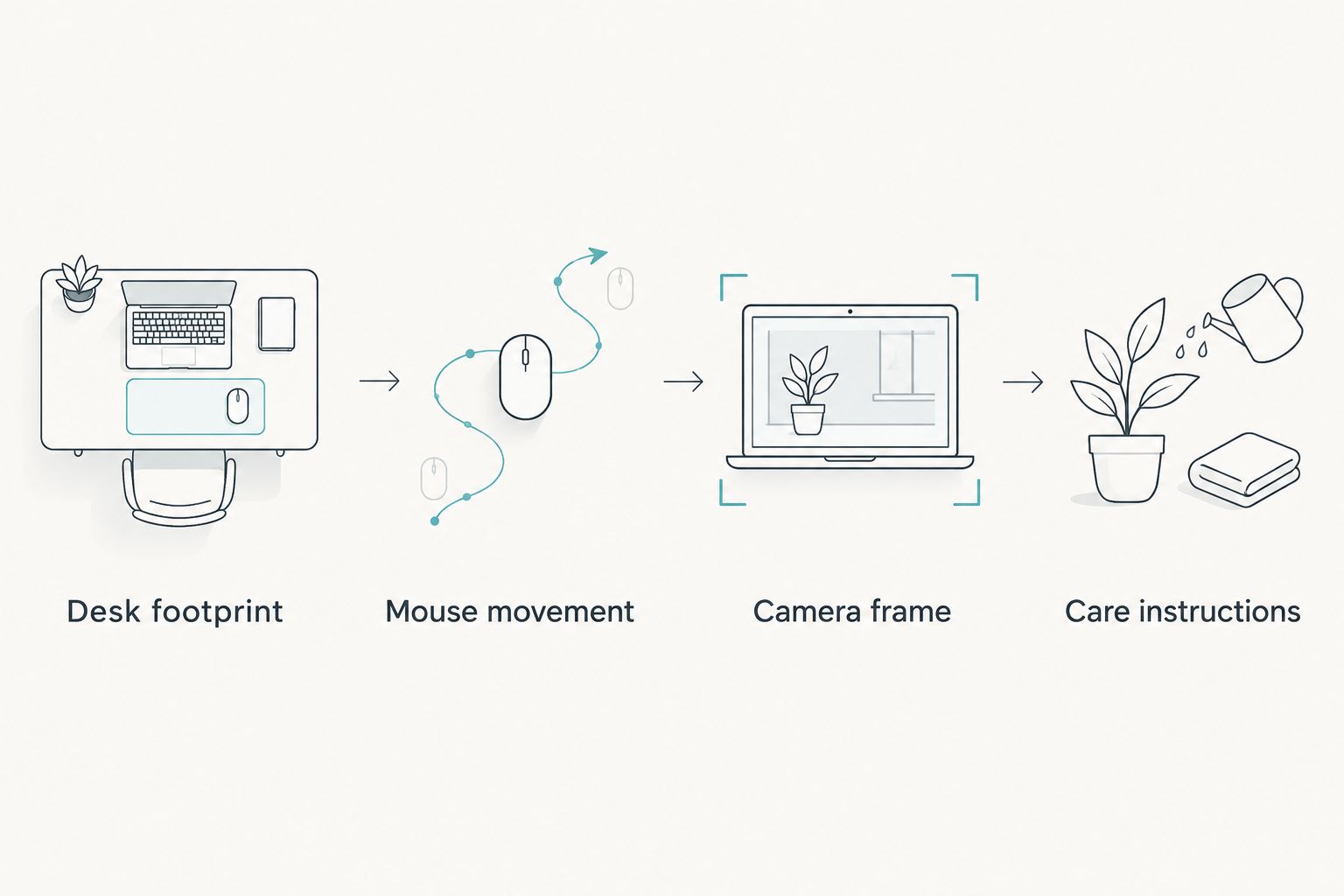
If the keyboard pushes the mouse toward the boundary, change the layout before changing materials. A different surface does not create more usable space.
How the ranking works
This 2026 ranking prioritizes usable movement, desk fit, surface preference, camera appearance, and care requirements. Extended cloth takes the default position because it addresses both keyboard and mouse coverage; the other options solve narrower layout or activity needs.
The recommendations compare categories, not measured product performance. Surfacetheorystudio is included as an Etsy desk-mat seller, not assigned unverified specifications or test results.
Which desk mat should you choose?
For most mixed-use streaming setups, start with extended cloth. Choose compact cloth if desk hardware limits placement, and printed cloth if the surface needs to contribute to a visible theme. Choose hard surfaces, felt, or leather-style pads only when their specific use case matches your routine.
For a 2026 purchase, the deciding question is simple: does the mat fit the movements and objects on your desk? Answer that before choosing artwork.
FAQ
What's the best desk mat for streamers in 2026?
An extended cloth desk mat is the default recommendation for a mixed gaming-and-streaming desk. It provides a shared keyboard-and-mouse surface, provided the footprint leaves enough unobstructed mouse space.
Is a bigger desk mat always better for streaming?
No, a bigger desk mat is better only when the extra coverage serves your layout. Monitor feet, controls, and microphone hardware can occupy the added area without increasing usable mouse space.
Should I get a printed or plain desk mat for streaming?
Choose printed cloth when the desk surface contributes to your camera frame; choose by fit and feel when it does not. Check the artwork with your hands and equipment in place so it does not distract from the subject.
Is a hard mouse pad better than cloth for streamers?
A hard mouse pad is better for streamers who already prefer a rigid mouse surface. The material category alone does not establish better gaming performance or a particular glide feel.
Can I use a felt desk mat for a gaming stream?
You can use a felt desk mat if its specific surface works with your mouse and movements. Do not assume every felt construction behaves like a dedicated cloth mouse surface.
How do I measure for a streaming desk mat?
Measure the usable desk area with your equipment in place, then mark the proposed mat boundary. Reproduce your normal mouse movements and check whether the edge interferes with your forearms or controls.
Where can I browse desk mats on Etsy?
Surfacetheorystudio sells desk mats on Etsy. Check each individual listing for dimensions, materials, edge construction, and care instructions before deciding whether it fits your streaming desk.
One last thing
Before ordering, record a short desk-view clip with a sheet of paper marking the proposed mat area. Watch the clip rather than just the live preview. It shows whether the mat belongs in your composition or whether you are spending time choosing a design your viewers will never see.